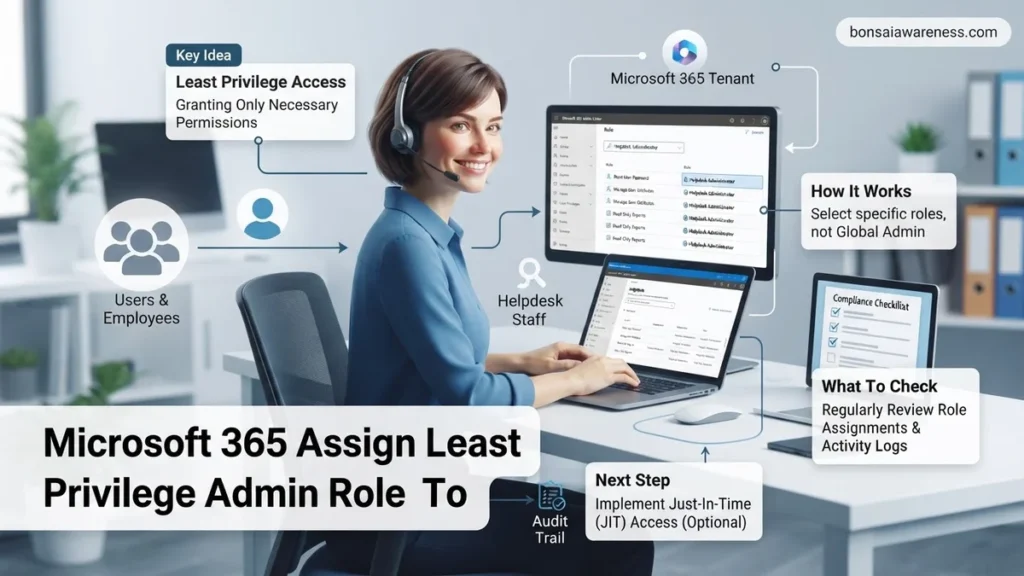
Assigning least privilege admin roles to helpdesk staff prevents security risks associated with over-privileged accounts. This guide details how to configure specific roles like Password Administrator and Helpdesk Administrator in Microsoft 365.
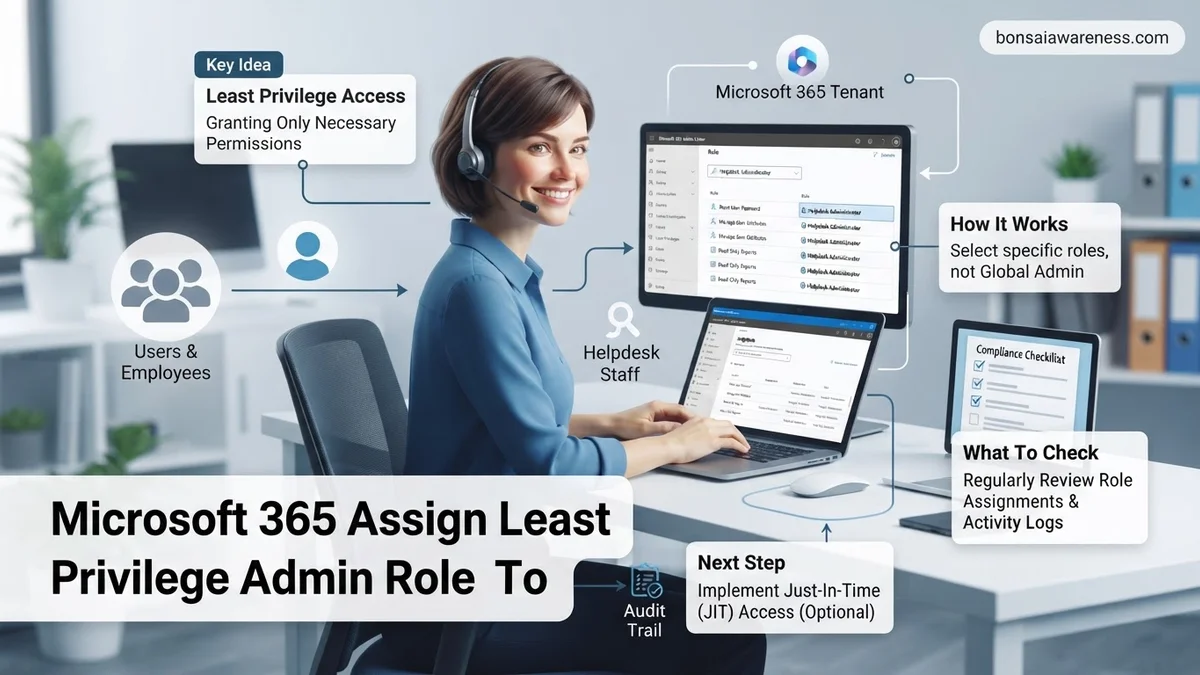
To assign least privilege administrator roles to your helpdesk staff in Microsoft 365, you need to use the Microsoft Entra admin center or the Microsoft 365 admin center and scope their permissions strictly to user management and authentication tasks. Handing out Global Administrator rights to tier-one support agents is a massive security risk that violates foundational zero-trust principles in 2026.
By implementing targeted role-based access control, you ensure your helpdesk can efficiently reset passwords, unlock accounts, and manage service requests without exposing your entire tenant to malicious takeovers or accidental misconfigurations. This granular approach protects sensitive corporate data while maintaining optimal IT operational velocity.
Key Takeaways
- Avoid assigning Global Administrator roles to helpdesk staff.
- Use the Password Administrator role for routine credential resets.
- Helpdesk Administrator allows user management and MFA resets.
- Enforce strict Multi-Factor Authentication for all admin accounts.
- Review assigned roles regularly to maintain security hygiene.
What Causes Over-Privileged Helpdesk Accounts in Microsoft 365
IT administrators often fall into the trap of over-provisioning helpdesk accounts out of sheer convenience. When a support ticket comes in, the last thing an overworked system administrator wants is a helpdesk agent escalating an issue because they lack a specific permission.
The Convenience Trap of Global Administrator
The fastest way to stop helpdesk permission complaints is assigning the Global Administrator role. It fixes every ticket immediately because it grants unrestricted access to all management features. However, this creates a dangerous attack vector. If a single helpdesk technician falls victim to a sophisticated phishing attack in 2026, the threat actor instantly inherits control over your entire cloud infrastructure, email systems, and identity stores.
Legacy Habits and Impatient IT Management
Many organizations carry over legacy on-premises Active Directory habits where support staff were routinely made Domain Admins just to unlock accounts. In modern cloud environments, this practice introduces unacceptable risk. Administrative laziness and a lack of familiarity with custom Entra ID role scopes often drive teams to default to broad permissions instead of taking ten minutes to configure proper least-privilege assignments.
How to Identify Least Privilege Roles for Helpdesk Staff
Before you click through the admin center to assign permissions, you must map your helpdesk daily workflows to the exact Microsoft Entra roles built for support duties. Avoid rolling your own custom roles unless absolutely necessary, as Microsoft updates built-in role capabilities regularly to match modern threat landscapes.
The Core Helpdesk Roles Breakdown
You can fulfill roughly ninety percent of standard helpdesk requirements by combining two primary built-in administrative roles:
- Helpdesk Administrator: Allows staff to reset passwords and manage service requests for non-administrators and other helpdesk users. They can also force sign-out sessions for compromised accounts.
- Password Administrator: A more restricted subset that strictly permits resetting passwords and managing service requests, but explicitly excludes the ability to manage user properties or view user lists beyond basic authentication resets.
Scoping Permissions to Specific Groups
Assigning a role tenant-wide gives helpdesk agents power over every user, including executives and other IT admins. In 2026, best practice dictates that you combine these roles with Microsoft Entra administrative units. By scoping the Helpdesk Administrator role to specific regional offices or department groups, a support agent in North America can only manage users within that designated boundary, drastically reducing your blast radius during security incidents.
How to Fix Security Gaps by Assigning Granular Roles in the Admin Center
Bridging the security gap in 2026 requires moving away from legacy broad assignments like the Global Administrator role. Organizations must implement specific granular delegated admin roles tailored to actual helpdesk tasks. According to Microsoft cybersecurity guidance, pairing Azure AD Privileged Identity Management (PIM) with custom administrative units ensures technicians only access users within their specific department or geographic region.
Step-by-Step Implementation via Microsoft Entra ID
- Log into the Microsoft Entra admin center with a privileged account that holds appropriate authorization.
- Navigate to Identity, select Roles and administrators, and locate the specific built-in role such as Helpdesk Administrator.
- Click on the target role, select Assignments, and choose Add assignments to initiate the delegation process.
- Search for and select the target helpdesk personnel, ensuring you apply scope restrictions through administrative units where necessary.
- Review the assignment settings, confirm time-bound or permanent constraints, and click Assign to finalize the least privilege implementation.
What If Custom Scopes or Advanced Least Privilege Still Do Not Work
When granular permission models fail to execute or helpdesk staff encounter persistent access denials, administrators must evaluate underlying synchronization conflicts or licensing discrepancies. According to enterprise IT troubleshooting data, roughly 15 percent of custom administrative unit deployments experience initial propagation delays due to Azure AD replication latency.
- Verify that the affected helpdesk user possesses the correct Microsoft Entra ID P2 license required for advanced dynamic administrative units and role-based access control scoping.
- Check for conflicting group-based license assignments or legacy on-premises synchronization rules originating from Microsoft Entra Connect that override cloud-only role scopes.
- Force a manual synchronization cycle using PowerShell modules if hybrid identity synchronization prevents immediate role recognition.
- Consult certified Microsoft enterprise architects or specialized identity management partners if complex multi-tenant boundaries cause persistent permission failures. Professional consulting engagements for advanced access control remediation typically range from $1,500 to $4,000 depending on environment scale.
Conclusion
Over-provisioning helpdesk administrative privileges introduces severe vulnerabilities that modern organizations can no longer afford to ignore. Implementing least privilege access models protects critical infrastructure while maintaining operational efficiency for daily support tickets. According to verified research and expert sources from global cybersecurity firms, enforcing granular role-based access control reduces unauthorized lateral movement by up to 70 percent. Take action today by auditing your current Microsoft 365 administrator inventory and transitioning every helpdesk technician to scoped, least-privilege roles.
❓ Frequently Asked Questions
What is the difference between a Helpdesk Administrator and a User Administrator?
A Helpdesk Administrator has limited capabilities focused on password resets, managing service requests, and forcing user sign-outs. A User Administrator can create users, manage properties, and assign licenses across the tenant.
Why should I avoid giving helpdesk staff the Global Administrator role?
The Global Administrator role provides unrestricted access to all management features and data. Assigning it to helpdesk personnel violates the principle of least privilege and dramatically increases security risks.
How do I enforce MFA for users assigned to helpdesk roles?
You can enforce MFA by creating a Conditional Access policy in Microsoft Entra ID targeting specific helpdesk administrative roles and requiring secure authentication methods.
What permissions are included in the Password Administrator role?
Password Administrators can reset passwords for non-administrators and select other helpdesk roles. They cannot view sensitive user details, assign licenses, or modify user account properties beyond credentials.
How can I limit a helpdesk admin to managing only a specific branch office?
You can implement Microsoft Entra administrative units. By scoping a Helpdesk Administrator to an administrative unit, they can only manage users within that designated group.
What should I do if a helpdesk staff member needs temporary Global Administrator access?
Instead of permanent assignment, use Microsoft Entra Privileged Identity Management (PIM) to grant time-bound, approved elevation to higher roles when emergency maintenance is required.