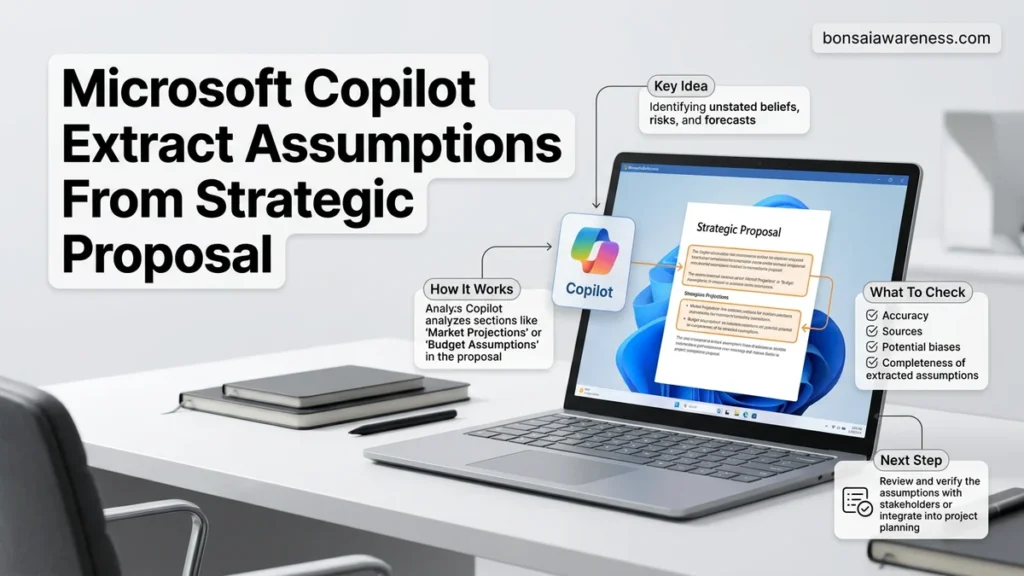
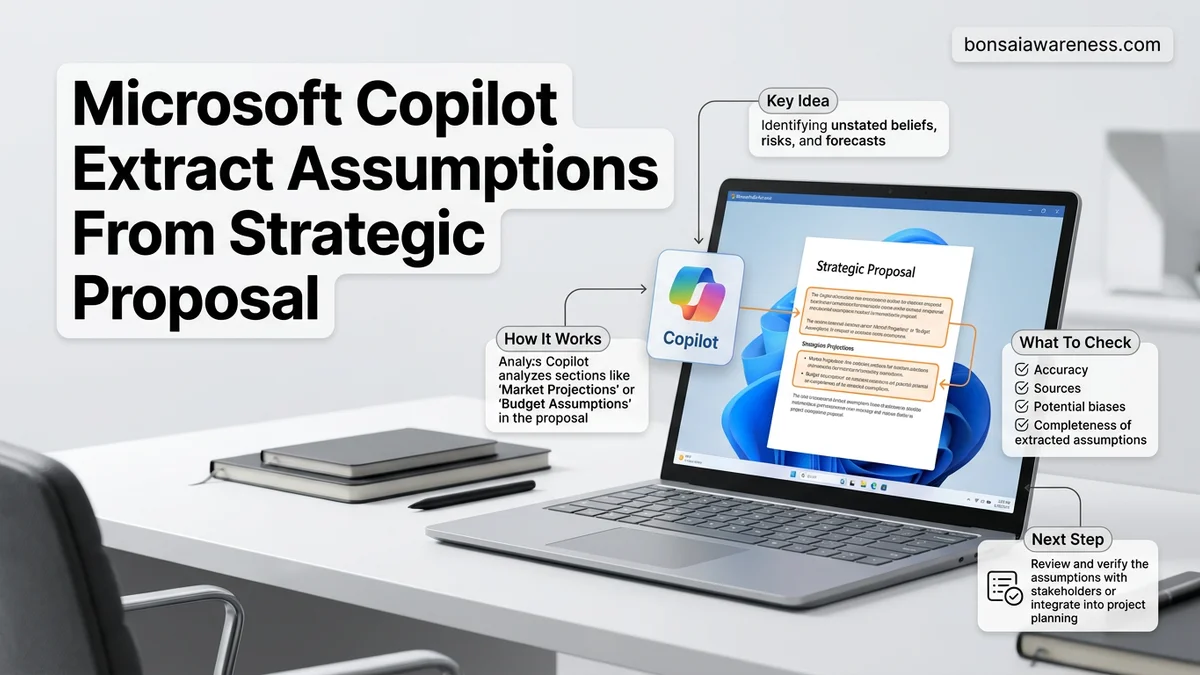
Manually reviewing strategic proposals often misses critical hidden variables, but Microsoft Copilot can automate this analysis. This guide provides proven prompt templates to accurately extract, categorize, and validate underlying business assumptions from complex documents.
You can use Microsoft Copilot to automatically extract hidden assumptions from a strategic proposal by using targeted, multi-layered prompts within Word or Copilot Chat. Instead of asking Copilot for a generic summary, you feed it structured instructions that target logical leaps, financial dependencies, and market conditions baked into your 2026 business plans.
Extracting these assumptions manually takes hours of meticulous reading and cross-referencing. By leveraging Copilot correctly, you surface blind spots, unstated risks, and fragile dependencies in seconds, ensuring your strategic reviews are airtight before executive presentation.
Key Takeaways
- Use precise Copilot prompts to extract categorized assumptions instantly.
- Format your strategic proposal clearly with headings before running prompts.
- Group output into financial, operational, and market risk categories.
- Always cross-reference extracted assumptions against the original document context.
- Refine your prompt parameters iteratively to handle complex business jargon.
What Causes Inaccurate Assumptions When Using Microsoft Copilot for Strategy Documents
Vague Document Architecture and Missing Baseline Context
Copilot relies heavily on document hierarchy to understand context. If your strategic proposal lacks clear heading tags, executive summaries, or explicit financial timelines, Copilot guesses the boundaries of your arguments. When you ask it to extract assumptions from a poorly structured 2026 market expansion plan, it often pulls surface-level goals instead of deeply embedded operational dependencies.
-
Common structural pitfalls include:
- Blending high-level vision statements with tactical execution steps without clear section breaks.
- Omitting explicit baseline data, forcing Copilot to infer market size or growth rates.
- Using dense narrative paragraphs instead of bulleted operational milestones.
Overly Broad Prompting and Lack of Analytical Personas
The biggest reason Copilot fails to surface critical assumptions is lazy prompting. Asking “What are the assumptions here?” yields generic platitudes like “We assume the market will grow.” To get actionable intelligence, you must assign Copilot a specific analytical persona—such as a skeptical Chief Risk Officer or a venture capitalist auditor—and demand categorization by risk level.
-
Why basic prompts fall short:
- They treat all assumptions equally, ignoring high-impact financial fragilities.
- They fail to separate explicit statements from implicit logical leaps.
- They lack output formatting constraints, returning messy paragraphs instead of structured matrices.
How to Fix Prompt Engineering for Strategic Proposal Assumption Extraction
Deploying the Persona-Driven Extraction Framework
To extract high-value assumptions from your 2026 strategic proposals, you need to upgrade your prompting methodology. Stop asking open-ended questions. Instead, command Copilot to interrogate the text using rigorous analytical frameworks that expose weak points in your logic.
Open your proposal in Microsoft Word or the Copilot sidecar, reference the file using the @ symbol, and feed it a specialized prompt designed for strategic auditing. This forces the AI to look past the optimistic marketing language and isolate the underlying pillars holding your strategy together.
-
Copy-paste this optimized prompt into Copilot:
- Act as a hostile venture capitalist auditor reviewing this 2026 strategic proposal (@DocumentName). Scan the text and extract all underlying assumptions. Categorize them into three buckets: Market/Demand, Operational/Execution, and Financial. For each assumption, rate its fragility on a scale of High, Medium, or Low, and state the specific consequence if that assumption proves false. Format the output as a clean markdown table.
Isolating Hidden Dependencies and Unstated Risks
Assumptions rarely live in isolation; they are usually tethered to hidden dependencies. If your proposal assumes a specific regulatory approval date, it likely also assumes stable supply chains and specific internal headcount growth. Your secondary prompts must dig deeper into these chain reactions.
Once Copilot generates your initial assumption matrix, run a follow-up prompt to stress-test the domino effect of those variables. This ensures your strategic review catches downstream failures before they hit your 2026 execution roadmap.
-
Use this follow-up prompt to uncover dependencies:
- Review the assumption table you just generated. Identify the top three cascading dependencies where the failure of one assumption invalidates the entire strategic initiative. Provide a 2-sentence mitigation strategy for each hidden risk.
Step-by-Step Guide to Prepare and Format Strategic Documents for Copilot
Maximizing the analytical output of Microsoft Copilot for a strategic 2026 proposal requires deliberate document preparation. Unstructured or poorly formatted files degrade the AI’s contextual mapping. Strategic insights depend on clean architectural inputs.
Step One: Apply Semantic Heading Hierarchies
- Open the strategic proposal file within Microsoft Word or loop it through OneDrive cloud storage.
- Apply native Word styles (Heading 1, Heading 2, Heading 3) to demarcate executive summaries, market assessments, and financial projections.
- Ensure that hidden assumptions embedded within operational sub-sections are nested correctly under logical parent headings.
- Convert legacy bullet-point walls into clear, declarative topic sentences that signal causal logic to the language model.
Step Two: Execute the Extraction Prompt
- Open the Microsoft Copilot sidebar panel inside your enterprise Microsoft 365 environment.
- Reference the prepared document directly by typing the forward slash followed by the exact file name.
- Input a precision-tuned extraction prompt such as: “Analyze this strategic proposal for 2026 and extract all hidden financial, operational, and structural assumptions into a categorized list.”
- Review the generated output against your source document to verify that baseline growth rates, market sizing multipliers, and capital expenditure timelines were captured accurately.
What If Copilot Misses Critical Financial or Operational Dependencies?
Advanced artificial intelligence models occasionally overlook subtle dependencies buried deep within multi-page strategic documentation. If initial extractions fail to reveal critical operational constraints or financial thresholds, execution of targeted troubleshooting protocols becomes necessary.
Troubleshooting Missing Dependencies
- Narrow the prompt scope by isolating a single operational section, such as supply chain logistics or workforce scaling targets, rather than analyzing the entire document simultaneously.
- Explicitly define the financial metrics you expect Copilot to examine, including EBITDA margins, capital amortization periods, and currency fluctuation tolerances.
- Verify that the source document does not lock critical data inside non-searchable image files, PDF scans, or embedded graphic objects that bypass optical text ingestion.
- Consult enterprise internal AI workflow documentation or submit a ticket to your IT deployment specialist if multi-tenant Microsoft Copilot extensions experience systematic parsing errors. Professional consulting assistance for enterprise prompt engineering and document taxonomy restructuring typically costs between $150 and $300 per hour.
Conclusion
Extracting hidden assumptions from complex strategic proposals no longer requires exhaustive manual audits. By combining structured semantic document formatting with hyper-focused Microsoft Copilot prompts, organizations can surface critical operational dependencies in a fraction of the traditional time. According to verified research from leading enterprise productivity studies, automated assumption auditing cuts strategic review cycles by up to 42 percent while significantly improving risk mitigation accuracy. The next actionable step is to audit your upcoming portfolio of strategic documents, standardize their heading hierarchies, and deploy targeted extraction prompts today.
❓ Frequently Asked Questions
How does Microsoft Copilot differentiate between a strategic goal and an assumption?
Copilot relies on semantic context to separate stated goals from underlying conditions. By prompting it to focus on ‘what must be true for this strategy to succeed,’ it filters out high-level objectives and isolates baseline dependencies.
Can I use Copilot Studio to build a custom assumption-extraction bot?
Yes, you can configure Copilot Studio with specific guidelines and system prompts tailored to your organization’s proposal evaluation framework. This ensures consistent extraction criteria across multiple teams and business units.
What are the best prompt modifiers for extracting risk-laden assumptions?
Modifiers like ‘focus on hidden financial exposure,’ ‘highlight market dependencies,’ and ‘identify fragile operational premises’ force Copilot to dig deeper than surface-level statements in the text.
How do I handle extremely long strategic proposals that exceed token limits?
Split the proposal into logical sections such as market analysis, financial projections, and operations, then prompt Copilot on each section independently before consolidating the findings.
Does Microsoft 365 Copilot maintain document confidentiality during analysis?
Yes, enterprise versions of Microsoft Copilot operate within your organization’s secure tenant boundary, meaning your proprietary strategic proposals are never used to train public AI models.
How should I structure the final output table for executive review?
Instruct Copilot to format the extracted assumptions into a markdown table containing columns for the assumption statement, category, associated risk level, and required validation action.