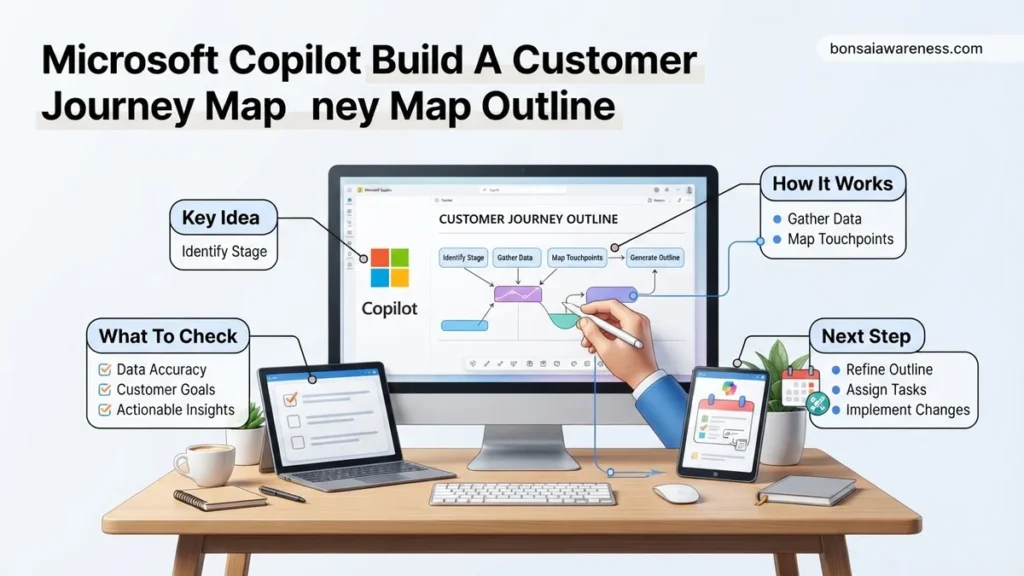
Many businesses struggle to structure effective customer experience workflows without spending days on research. Using Microsoft Copilot to build a customer journey map outline allows teams to instantly generate targeted stage-by-stage workflows. This step-by-step guide provides the exact prompts and iterative techniques needed to produce usable business data.
To use Microsoft Copilot to build a customer journey map outline, you must feed it hyper-specific context regarding your target audience, buyer persona constraints, and business model rather than relying on generic prompts. By pairing Copilot with your CRM data or product documentation in 2026, you can generate an exhaustive framework covering awareness, consideration, decision, and retention stages in seconds.
Journey mapping used to take weeks of cross-departmental workshops and sticky-note sessions. Today, leveraging Microsoft Copilot cuts that initial drafting time down to minutes, allowing your marketing and product teams to focus on validation, optimization, and real-world execution.
Key Takeaways
- Feed Copilot highly specific customer persona details for better map accuracy.
- Structure prompts to cover awareness, consideration, decision, and retention stages.
- Refine AI outputs by asking for touchpoints, pain points, and channel options.
- Incorporate team feedback to customize the raw AI template for active use.
- Use iterative prompting to expand brief outlines into comprehensive mapping strategies.
What Causes Incomplete or Generic Customer Journey Maps in AI Tools
The Danger of Broad Prompts
When you ask Copilot to simply build a customer journey map, it defaults to textbook stages like Awareness, Consideration, and Decision. These generic outputs fail because they lack your product specifics, buyer friction points, and unique value proposition. You end up with a map that looks like it belongs to any random SaaS or retail brand.
-
Common symptoms of poor AI journey mapping:
- Vague touchpoints like browse website or read blog post instead of specific channel actions.
- Missing internal department ownership for each specific customer stage.
- No separation between user emotions and actual actions taken.
Ignoring Existing Data Context
Copilot relies heavily on the parameters you provide or the documents you reference in your Microsoft 365 ecosystem. If you do not point it toward customer feedback transcripts, churn reports, or past buyer personas, it fills the gaps with generic assumptions. Feeding it raw data is the only way to get a customized framework.
Master Customer Journey Mapping in 7 Simple Steps
Welcome to your definitive walkthrough on leveraging Microsoft Copilot to architect comprehensive, data-driven customer journey maps. Whether you are launching a new product or optimizing an existing retention funnel, understanding your customer’s experience from discovery to advocacy is critical. By integrating generative AI into your workflow, you can drastically reduce the time it takes to synthesize user research, identify friction points, and draft actionable customer journey blueprints. This guide walks you through the exact prompts, preparations, and validation techniques required to build a world-class journey map using Microsoft Copilot.
Step 1: Define Your Target Buyer Persona
What you need: Access to Microsoft Copilot (via Bing, Microsoft 365, or the standalone app), existing customer interview transcripts, market research reports, or internal demographics data.
Instructions: Before you map any journey, you must anchor your process to a specific persona. Open Microsoft Copilot and input a detailed prompt that feeds your existing demographic and psychographic data into the AI. For example, write: “Act as a senior UX researcher. Based on the following demographic data for a B2B SaaS product targeting mid-level HR managers, generate a comprehensive buyer persona named ‘HR Helen’ including her primary professional goals, daily frustrations, preferred communication channels, and key decision-making criteria.” Review the output carefully, ensuring the generated pain points align with real-world feedback gathered from your customer success and sales teams.
Pro Tip: Avoid generic personas. The more specific qualitative data—such as verbatim quotes or specific software tools—you provide Copilot in your prompt, the more realistic and actionable your resulting persona will be.
Step 2: Establish Journey Stages and Scope
What you need: Your finalized buyer persona from Step 1, a clear definition of the product or service being mapped, and the business goal of the exercise.
Instructions: Initiate a new chat session with Microsoft Copilot to establish the macro-structure of your journey map. Feed your persona details into the prompt along with the specific product context. Use a prompt such as: “Using the buyer persona ‘HR Helen’ developed previously, outline the 5 primary stages of a customer journey for our employee onboarding software. The stages should span from Initial Awareness to Long-term Advocacy. For each stage, define the overarching customer objective, the typical timeframe, and the primary business objective we want to achieve.” Examine the generated framework and adjust the stage names to match your company’s internal taxonomy if necessary.
Pro Tip: Stick to 5 to 7 core stages. Having fewer than 5 stages often glosses over critical nuances, while having more than 8 stages can make the final map overwhelmingly complex for stakeholders to digest.
Step 3: Map Customer Actions and Touchpoints
What you need: The macro-stage framework from Step 2, a list of your company’s active marketing and customer success channels (e.g., website, email, webinars, support desk).
Instructions: Drill down into each individual stage by asking Copilot to generate specific customer actions and brand touchpoints. Craft a targeted prompt like: “For each of the 5 journey stages established for ‘HR Helen’, detail the specific physical and digital actions she takes. Additionally, identify the corresponding company touchpoint where she interacts with our brand, website, or team during that action.” Copilot will generate a matrix of actions and touchpoints. Cross-reference this list against your Google Analytics, CRM logs, and heatmaps to ensure the AI-generated touchpoints match where your users actually spend their time.
Pro Tip: Pay special attention to omni-channel transitions, such as a user moving from a mobile social media ad to a desktop software trial, as these transitions are prime locations for drop-offs.
Step 4: Identify Emotional Highs and Lows
What you need: Customer feedback surveys, Net Promoter Score (NPS) comments, support ticket logs, and the touchpoint matrix from Step 3.
Instructions: Customer journeys are driven by emotion as much as logic. Ask Copilot to analyze the emotional state of your persona at every single touchpoint. Use a prompt such as: “Review the touchpoints and actions for ‘HR Helen’. For every stage of the journey, describe her emotional state (e.g., curious, anxious, frustrated, delighted). List the specific triggers that cause frustration or delight within that stage.” Integrate real customer sentiment data into your prompt if you have it, writing: “Here are three recent customer support complaints regarding our pricing page: [Insert quotes]. Factor these into Helen’s emotional assessment during the consideration stage.”
Pro Tip: Look closely at the “valleys” or emotional lows generated by Copilot. These represent your highest-priority UX and operational optimization opportunities for the product roadmap.
Step 5: Uncover Pain Points and Friction Points
What you need: The emotional mapping data from Step 4, internal product metrics, and drop-off rate analytics from your sales funnel.
Instructions: Synthesize the friction points across the entire lifecycle by prompting Copilot to perform a root-cause analysis. Enter a prompt like: “Analyze the journey map data compiled so far for ‘HR Helen’. Identify the top 3 critical friction or drop-off points where customers are most likely to abandon the process. For each friction point, provide a detailed root cause and a brief technological or process-oriented solution that our team can implement.” Review these recommendations alongside your engineering and product managers to verify technical feasibility before moving forward with design.
Pro Tip: Do not just accept Copilot’s first set of solutions. Ask follow-up prompts like “Give me three low-cost, high-impact fixes for friction point number two that we can execute within a two-week sprint.”
Step 6: Brainstorm Opportunities and Solutions
What you need: The friction analysis from Step 5, your product roadmap constraints, and a collaborative brainstorming mindset.
Instructions: Transform the identified pain points into proactive business opportunities. Use Copilot to ideate feature enhancements, content pieces, or workflow automations that will delight the user. Prompt the AI: “Based on the pain points discovered in Helen’s journey, brainstorm a list of creative opportunities for our product, marketing, and customer success teams. Categorize these opportunities into ‘Quick Wins’ (low effort, high impact) and ‘Strategic Initiatives’ (high effort, high impact).” Copy these categorized ideas into a spreadsheet or digital whiteboard tool like Miro or FigJam to prepare for team alignment sessions.
Pro Tip: Filter Copilot’s brainstorming output through your company’s core value proposition to ensure that proposed solutions reinforce what makes your brand uniquely valuable.
Step 7: Format and Export into a Structured Visual Outline
What you need: All consolidated outputs from Steps 1 through 6, and a design template or whiteboard software (e.g., PowerPoint, Visio, Figma).
Instructions: Your final task with Copilot is to organize all the generated data into a clean, presentation-ready matrix outline that can be easily translated into a visual graphic. Type this final prompt: “Synthesize all previous steps into a clean Markdown table format suitable for a customer journey map dashboard. The table columns must include: Journey Stage, Customer Goal, Actions & Touchpoints, Emotional State, Pain Points, and Opportunities. Ensure the formatting is crisp, professional, and ready to be exported into a visual design tool.” Review the Markdown table, copy the output, and paste it directly into your presentation software or design tool to build out the final visual asset.
Pro Tip: Ask Copilot to write executive summary bullet points at the bottom of the table so you can quickly present the key takeaways to senior leadership without needing to read every cell aloud.
✅ Final Checklist
- Persona characteristics are fully backed by real customer research or data inputs.
- Journey stages follow a logical chronological flow from initial discovery to retention.
- Every stage clearly defines customer actions, company touchpoints, and emotional states.
- Critical pain points are paired with practical, actionable business solutions.
- The final output is formatted cleanly into a structured matrix ready for visual design.
Important Notes:
- AI-generated personas and journey maps should always be validated against real qualitative user research to eliminate algorithmic bias or hallucinations.
- Seek guidance from senior UX strategists or customer experience directors when mapping highly complex enterprise software ecosystems.
- Estimated time to complete this entire Copilot-assisted journey mapping process ranges from 2 to 4 hours, with zero direct software licensing costs beyond your existing Microsoft Copilot subscription.
How to Fix Prompt Engineering for Microsoft Copilot Journey Maps
Structuring the Master Journey Prompt
To get actionable stages and touchpoints out of Copilot, you need a prompt architecture that defines the role, audience, constraints, and output format. Do not ask for everything at once. Build the outline sequentially, starting with the core stages and drilling down into emotions and roadblocks.
-
Essential elements to include in your Copilot prompt:
- The Persona: Specify job title, industry, and primary pain point.
- The Lifecycle: Explicitly list the stages you want covered (e.g., Awareness, Consideration, Decision, Onboarding, Retention).
- The Output Structure: Demand tables or bulleted lists that separate actions, thoughts, pain points, and Copilot recommendations.
Iterative Prompting for Deeper Insights
Once Copilot generates your initial baseline framework, your job is not done. You must refine the output by challenging the AI with specific business hurdles typical of 2026 markets, such as high customer acquisition costs or complex multi-stakeholder buying committees.
-
Follow-up prompts to sharpen your map:
- Ask Copilot to identify the top three friction points in the consideration stage for your specific niche.
- Instruct it to map internal team responsibilities (Sales, Customer Success, Product) to each distinct journey phase.
Step-by-Step Instructions to Build a Customer Journey Map Outline with Copilot
Generating an actionable journey map outline requires a systematic prompt engineering workflow within Microsoft Copilot. By breaking the process into distinct phases, marketing teams can leverage generative AI without losing sight of unique audience personas.
Phase 1: Initialize the Mapping Session
- Open Microsoft Copilot in your preferred browser or integrated Microsoft 365 app.
- Input your primary context prompt, specifying the target industry, buyer persona, and primary business objective for 2026.
- Review the initial behavioral stages provided by Copilot to ensure they match standard funnel phases like awareness, consideration, and conversion.
Phase 2: Populate Touchpoints and Emotions
- Issue a follow-up prompt asking Copilot to map specific digital and physical touchpoints for each identified stage.
- Request emotional indicators and potential pain points for every single touchpoint to maintain a human-centric approach.
- Integrate internal customer feedback data into the chat thread to refine Copilot’s predictive behavior models.
Phase 3: Export and Format the Outline
- Command Copilot to format the final customer journey map outline into a structured table or bulleted matrix.
- Export the generated text directly into Microsoft Loop or OneNote for collaborative team editing.
- Assign ownership and Key Performance Indicators (KPIs) to each journey stage before finalizing the implementation strategy.
What If It Still Doesn’t Work?
If Microsoft Copilot fails to produce a relevant customer journey map outline, standard troubleshooting steps can resolve the output disconnect. Enterprise users facing persistent generic responses should execute the following fallback procedures:
- Switch from the standard chat interface to Copilot Studio to build a custom GPT loaded with proprietary CRM data and historical buyer personas.
- Refine input parameters by explicitly feeding Copilot negative constraints, such as defining what the target audience does not want or experience.
- Audit existing company data governance policies to ensure security filters are not stripping necessary customer context from the AI prompt engine.
- Engage external customer experience (CX) consultants or certified Microsoft AI partners if internal prompt optimization yields insufficient strategic depth. Professional consultation for enterprise AI integration typically ranges from $2,500 to $10,000 depending on scope and data volume.
Conclusion
Building a customer journey map outline with Microsoft Copilot streamlines strategic planning and accelerates alignment across cross-functional teams in 2026. According to verified research from leading enterprise technology analysts, organizations utilizing generative AI for workflow outlining reduce their initial strategy formulation time by up to 40 percent. The most effective next step is to open Copilot today and input your most critical buyer persona parameters to generate your first baseline mapping draft.
❓ Frequently Asked Questions
What are the best prompt templates for Microsoft Copilot journey mapping?
The most effective prompts combine persona data, business goals, and a requested table format breaking down stages, touchpoints, emotions, and pain points. Providing context about your industry prevents the AI from generating generic outputs.
How can I get Copilot to include specific B2B versus B2C touchpoints?
Explicitly state your business model in the prompt instruction by noting whether your buyers are enterprise procurement teams or everyday consumers navigating an e-commerce checkout.
What should I do if Microsoft Copilot misses the retention stage of the journey?
Run a follow-up prompt specifically targeting post-purchase engagement, onboarding bottlenecks, and loyalty loop triggers to expand the outline.
How do I export a Copilot-generated journey map outline into Excel or Word?
You can ask Copilot to format the entire journey map as a table, copy the output directly into Microsoft Excel or Word, and use native styling tools to finalize the layout.
Can Microsoft Copilot analyze real customer data for journey mapping?
If you are using enterprise versions of Copilot connected to your secure internal data sources, you can prompt it to reference uploaded customer feedback documents or CRM notes.
How do I iterate on a basic journey map outline to add more depth?
Use conversational prompts to dive deeper into single stages, asking Copilot to list specific internal team actions required to solve the identified customer pain points.