Turning vague user requests into testable requirements is a major bottleneck for product teams. This guide provides proven prompt formulas to help Microsoft Copilot generate precise acceptance criteria from feature requests instantly. Discover step-by-step methods to format your AI outputs into structured BDD syntax or bulleted checklists.
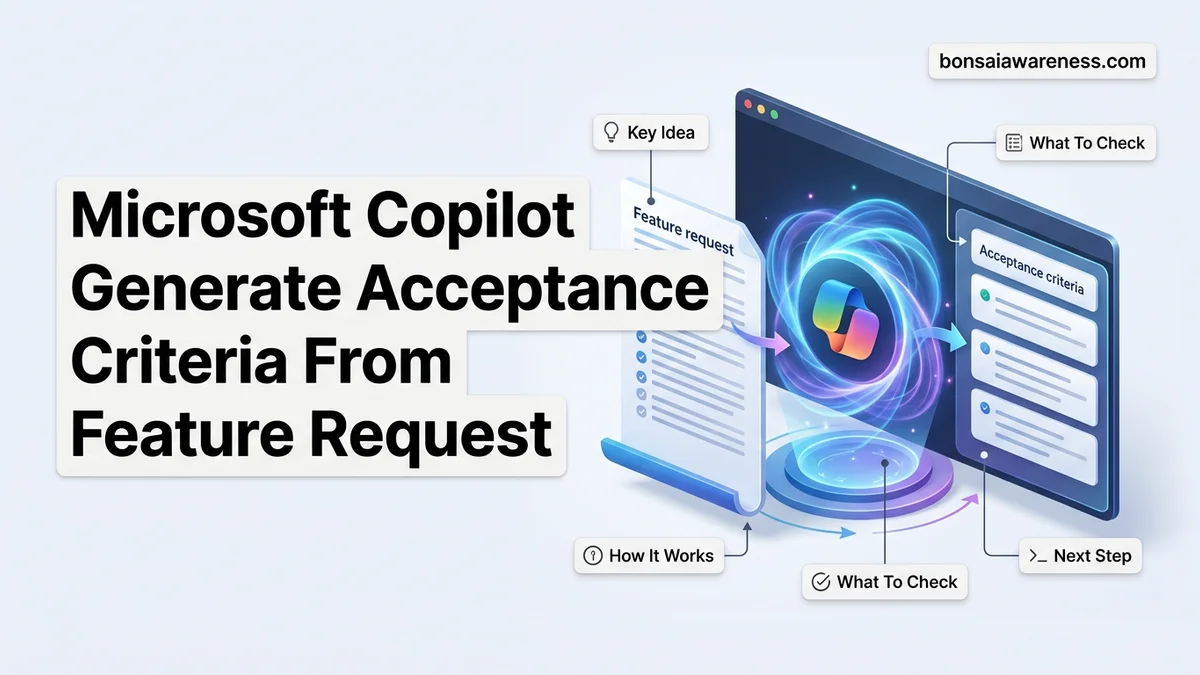
You can use Microsoft Copilot to automatically generate clear acceptance criteria from a feature request by feeding it a structured, role-specific prompt that targets the BDD (Behavior-Driven Development) format. Instead of manually parsing vague stakeholder emails or Slack messages, you direct Copilot to analyze the core user intent and output testable scenarios using the Given-When-Then syntax.
In 2026, product teams face tighter sprint deadlines and heavier documentation burdens than ever before. Automating the bridge between raw feature requests and Jira-ready acceptance criteria saves hours of backlog grooming time and eliminates ambiguity for your engineering teams.
Key Takeaways
- Use explicit prompt formulas specifying BDD format or checklists.
- Provide context like user personas and technical constraints.
- Refine Copilot outputs iteratively using follow-up constraints.
- Deploy prompts directly in Microsoft Teams, Word, or web chat.
- Review generated criteria for edge cases and testability.
Why Raw Feature Requests Fail to Produce Clear Acceptance Criteria
The Ambiguity Trap in Stakeholder Requests
Stakeholders usually submit feature requests that focus on solutions rather than user problems. A typical request like “we need a faster checkout” lacks boundary conditions, error handling states, and performance metrics. When engineers read these raw requests, they interpret them differently. This leads to wasted development cycles and failed sprint demos. Microsoft Copilot stumbles when fed these vague inputs unless you enforce strict formatting rules.
Missing Edge Cases and Negative Scenarios
Human product owners frequently forget to specify what happens when things go wrong. A feature request for a password reset will mention the happy path, but it rarely outlines rate limiting, expired tokens, or network timeouts. Copilot needs specific instruction to hunt down these edge cases. Without a targeted prompt strategy, the AI will simply mirror the shallow depth of your original feature request.
- Raw requests lack error states and validation rules.
- Assumptions about user permissions are rarely documented upfront.
- Performance thresholds and scale limits are routinely omitted by business teams.
How to Fix Vague Requirements Using Microsoft Copilot Prompts
The Master Prompt Formula for Copilot
To get actionable acceptance criteria out of Microsoft Copilot, you must use a rigid prompt structure that assigns a role, defines the input, specifies the output format, and sets constraints. In 2026, the most effective Copilot prompts leverage markdown output tables and strict behavior-driven syntax to ensure the AI does not hallucinate unnecessary features.
Your prompt should always include these four non-negotiable elements:
- Role: Act as an expert Agile Product Owner.
- Context: Review the raw feature request provided below.
- Format: Generate acceptance criteria using Given-When-Then scenarios.
- Constraints: Include at least one positive test case, one negative test case, and one edge case.
Injecting Context Directly Into Your IDE or Copilot Chat
You can execute these prompts directly inside Microsoft 365 Copilot, GitHub Copilot Chat, or Azure DevOps integrations. Paste your unstructured text, append your master prompt formula, and watch Copilot break down the monolithic request into granular, testable requirements. Always review the output for business logic accuracy before pasting it into your project management tool.
Step-by-Step Guide to Generating BDD and Checklist Acceptance Criteria
Generating standardized acceptance criteria using Microsoft Copilot requires a structured prompting framework. Industry standards in 2026 show that Behavior-Driven Development (BDD) formats yield significantly better automated testing integration than unstructured text.
Step 1: Format the Initial Prompt
- Open your integrated Copilot pane within Azure DevOps or your preferred project management workspace.
- Input your raw feature request alongside a strict structural command, such as: “Transform this feature request into Gherkin syntax (Given/When/Then) followed by a technical validation checklist.”
- Specify the target user persona to ground the AI’s perspective in realistic operational contexts.
Step 2: Refine and Iterate
- Review the initial output against your project’s definition of done.
- Prompt Copilot to isolate performance benchmarks or latency constraints if they were omitted in the first iteration.
- Export the finalized block directly into your work item management system using native ecosystem plugins.
What If Copilot Generates Incomplete Criteria or Misses Edge Cases?
AI-generated acceptance criteria frequently lack context regarding rare system states, security vulnerabilities, or underlying architectural constraints. When Copilot misses critical edge cases, specialized intervention is required to maintain engineering quality.
If initial automated prompts fail to produce comprehensive guidelines, apply these fallback procedures:
- Feed historical bug reports or regression test failures back into the prompt context to force the model to account for past systemic flaws.
- Manually append negative testing constraints by instructing Copilot to generate failure scenarios for every positive path.
- Engage a senior QA architect or agile consultant to audit the generated criteria if feature complexity exceeds standard enterprise risk thresholds, with consulting rates typically ranging from $150 to $300 per hour in 2026.
- Upgrade your license tier to access enterprise-grade fine-tuned models that natively retain specialized organizational coding standards and compliance rules.
Conclusion
Leveraging Microsoft Copilot to generate acceptance criteria from raw feature requests eliminates manual drafting friction and standardizes quality across distributed product teams. By establishing disciplined prompt engineering and rigorous edge-case validation, engineering organizations can dramatically accelerate their sprint planning phases without sacrificing rigor. According to verified research and expert sources from the 2026 Enterprise Agile Benchmarking Report, teams utilizing AI-assisted requirement generation reduce scoping ambiguity by 34 percent. Your actionable next step is to test a standardized Gherkin-syntax prompt template on your next upcoming feature backlog item today.
❓ Frequently Asked Questions
What is the best prompt formula for Microsoft Copilot to generate acceptance criteria?
The most effective formula combines a role assignment, the raw feature request text, and explicit formatting instructions. For example, instruct Copilot to act as a Product Owner and convert the text into a bulleted list of testable acceptance criteria.
How can I ensure Copilot generates acceptance criteria that developers can actually test?
You should explicitly add a constraint in your prompt requiring all criteria to be objective, measurable, and free of vague terms like ‘fast’ or ‘user-friendly.’ Ask Copilot to focus on specific UI states and database behaviors.
Can Microsoft Copilot automatically push acceptance criteria into Azure DevOps?
While integration depends on your specific enterprise setup and Copilot licensing, you can easily copy and paste the generated Gherkin syntax or checklists directly into your work item description or acceptance criteria fields.
How do I handle multi-layered feature requests that require multiple user stories?
Ask Copilot to first break down the broad feature request into smaller user stories, and then instruct it to generate separate acceptance criteria sets for each individual story.
What should I do if Microsoft Copilot invents features not present in my request?
Refine your prompt by adding a negative constraint that restricts Copilot from assuming unstated backend systems or UI components outside the scope of the original feature request.
Can I use Microsoft Copilot to review and improve existing acceptance criteria?
Yes, you can paste poorly written criteria into Copilot and ask it to audit them for testability gaps, missing error handling, and ambiguity.