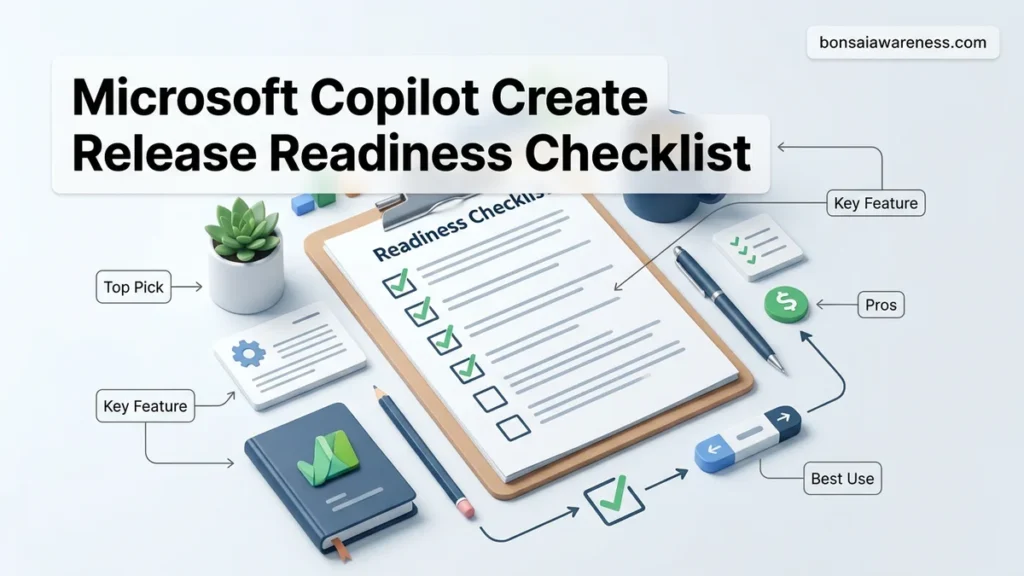
Manually drafting software deployment documentation often leads to overlooked tasks and misaligned teams. Microsoft Copilot streamlines this process by instantly generating comprehensive release readiness checklists tailored to your project scope. This guide demonstrates exact prompt engineering strategies to build, refine, and export actionable deployment frameworks.
You can use Microsoft Copilot to generate a comprehensive release readiness checklist by feeding it specific technical parameters, compliance constraints, and deployment workflows. Instead of staring at a blank document or relying on outdated templates from 2024 or 2025, you can prompt Copilot to draft a tailored matrix that accounts for modern 2026 software delivery pipelines, multi-cloud dependencies, and security protocols.
Generating this checklist through Copilot saves hours of manual alignment across engineering, QA, and product teams. When you input your exact tech stack and deployment cadence, Copilot structures the critical path, identifies hidden risks, and establishes accountability gates so your team avoids costly production rollbacks.
Key Takeaways
- Use detailed prompts specifying tech stacks to improve checklist accuracy.
- Incorporate Agile or ITIL frameworks directly into your Copilot prompt.
- Refine AI-generated outputs using iterative follow-up prompts for edge cases.
- Export your customized checklist directly into loop components or Microsoft Excel.
- Review risk mitigation and rollback procedures with your core engineering team.
What Causes Incomplete Software Release Checklists and Poor Deployment Planning
Static Templates and Outdated Frameworks
Most teams fail during deployment because they rely on generic, one-size-fits-all release checklists. These static documents rarely account for modern microservices architectures or rapid 2026 CI/CD release cadences. When your checklist does not match your actual codebase complexity, critical steps like database migration rollbacks or API versioning dependencies get missed.
- Generic templates ignore cloud-specific infrastructure requirements.
- Legacy checklists lack modern automated testing and telemetry gates.
- Static documents fail to scale across distributed engineering teams.
Siloed Communication Across Engineering and Product Teams
Poor deployment planning often stems from a lack of cross-functional visibility. Developers focus heavily on code completion, QA teams obsess over test coverage, and product managers care primarily about feature flags and user documentation. Without a unified source of truth, handoffs fail.
- Engineers assume infrastructure scaling is handled by operations.
- Security sign-offs are treated as last-minute bottlenecks rather than continuous gates.
- Stakeholders lack real-time visibility into actual deployment blockers.
Microsoft Copilot Release Readiness Checklist Made Easy: Your Essential Action Plan
Bringing a new software release, product update, or internal project to market requires meticulous coordination across cross-functional teams. Missing even a minor detail can lead to deployment failures, poor user adoption, and cascading operational delays. Fortunately, you can leverage Microsoft Copilot to automate, streamline, and optimize your release management process by generating comprehensive, context-aware readiness checklists. This practical walkthrough provides a detailed, step-by-step framework to harness the power of Microsoft Copilot to build bulletproof release readiness checklists tailored specifically to your organization’s unique requirements, tech stack, and compliance standards.
Step 1: Define the Scope and Objectives of Your Release
What you need: Access to Microsoft Copilot (via Microsoft 365, Copilot Studio, or the web interface), project documentation, and a basic outline of the upcoming release.
Instructions: Before prompting Copilot, you must clearly understand what is changing in this release. Gather your release notes, user stories, architecture diagrams, and stakeholder requirements. Open Microsoft Copilot and provide it with this foundational context. Write a descriptive prompt such as: “Act as an expert release manager. I am preparing a major software update involving cloud infrastructure migrations and UI updates. Help me define the scope and objectives for this release so we can build a checklist.” Review Copilot’s summary of the scope, refine any ambiguous points, and ensure all team leads agree on the release boundaries before moving forward.
Pro Tip: Be as specific as possible with your initial prompt. Mentioning your specific industry, regulatory requirements (like HIPAA or GDPR), and technology stack (like Azure, React, or .NET) will drastically improve the relevance of Copilot’s output.
Step 2: Prompt Copilot to Draft the Core Readiness Categories
What you need: The scope defined in Step 1, and access to standard ITIL or Agile release management frameworks.
Instructions: With your scope established, instruct Copilot to structure the backbone of your checklist by organizing it into logical operational categories. Input a prompt like: “Based on the release scope provided, generate a structured release readiness checklist divided into standard categories: Technical Readiness, Quality Assurance, Security and Compliance, Change Management, and Go-Live Operations.” Copilot will output a categorized list of high-level tasks. Carefully review each category to ensure nothing has been omitted. If your organization uses specialized testing protocols or unique deployment pipelines, explicitly instruct Copilot to integrate those specific stages into the respective categories.
Pro Tip: Ask Copilot to format the output as a Markdown table or a bulleted list to make it easier to copy and paste directly into project management tools like Azure DevOps, Jira, or Microsoft Planner.
Step 3: Detail Technical and Infrastructure Verification Items
What you need: Cloud architecture details, database migration scripts, environment provisioning plans, and rollback strategies.
Instructions: Technical oversight is the most critical component of any release. Prompt Copilot to expand specifically on the technical verification items within your checklist. Use a prompt such as: “Drill down into the Technical Readiness category. Generate detailed checklist items covering database backup verifications, API backward compatibility checks, environment health monitoring setup, and a validated rollback execution plan with a 15-minute RTO (Recovery Time Objective).” Copilot will generate technical action items. Cross-reference these items with your DevOps and engineering teams to ensure commands, environments, and metrics match your actual infrastructure configurations.
Pro Tip: Always ask Copilot to include a specific “Rollback Trigger Condition” item in the technical section so the operations team knows the exact threshold for aborting a deployment.
Step 4: Incorporate Quality Assurance and User Acceptance Testing (UAT)
What you need: QA test execution reports, bug severity thresholds, and sign-off criteria from product owners.
Instructions: Next, focus Copilot on validating product quality and user readiness. Prompt Copilot with: “Add comprehensive Quality Assurance and UAT verification items to the checklist. Include zero-blocker-bug criteria, automated regression test suite completion metrics, stakeholder sign-off checkpoints, and browser/device compatibility matrix verifications.” Review the generated checklist points and ensure they align with your definition of done (DoD). Make sure to specify any third-party integrations that require end-to-end sandbox testing prior to production deployment.
Pro Tip: Instruct Copilot to include a mandatory “P0/P1 Bug Free” gate, which legally blocks the release process if any critical or high-severity defects remain unresolved in the tracking system.
Step 5: Integrate Security, Compliance, and Governance Checks
What you need: Vulnerability scanning reports, compliance audit requirements, and data privacy impact assessments.
Instructions: Security vulnerabilities and compliance oversights can result in massive financial penalties and brand damage. Instruct Copilot to bolster your governance framework by typing: “Incorporate a rigorous Security and Compliance section into the release readiness checklist. Include items for static code analysis (SAST), software composition analysis (SCA) for open-source dependencies, secret scanning validation, and compliance sign-offs for data protection policies.” Review these items with your InfoSec team to ensure all corporate and regulatory mandates are thoroughly satisfied prior to signing off on the production release.
Pro Tip: Have Copilot draft a specific compliance sign-off block requiring explicit digital signatures or approval tickets from your Chief Information Security Officer (CISO) or designated compliance officer.
Step 6: Build Communication, Training, and Support Runbooks
What you need: Customer support documentation, internal training schedules, and stakeholder communication templates.
Instructions: A technically flawless release will still fail if users do not know how to use the new features and support teams are left in the dark. Prompt Copilot to finalize the human-centric aspects of the release: “Generate the communication and support items for the checklist. Include tasks for publishing external release notes, conducting internal training webinars for customer support agents, updating knowledge base articles, and setting up an on-call war room rotation during the go-live window.” Copilot will provide a structured communication plan that ensures organizational alignment across marketing, sales, and support departments.
Pro Tip: Ask Copilot to draft an email template for the internal “Go-Live Announcement” and the external “Release Notes Summary” to save your product marketing team hours of writing time.
Step 7: Finalize, Export, and Import into Your Project Management System
What you need: Access to your team’s issue tracker (e.g., Azure DevOps, Jira, GitHub Projects, or Microsoft Planner).
Instructions: Now that your complete release readiness checklist has been generated, refined, and validated by your team, it is time to operationalize it. Prompt Copilot to format the entire checklist into a clean, hierarchical structure ready for export. Type: “Compile all the validated sections into a single, cohesive master release readiness checklist. Format it with clear parent tasks and sub-tasks, estimating the time required for each verification step.” Copy the generated checklist and import it directly into your project management workspace as a dedicated epic or milestone for the upcoming release.
Pro Tip: Assign specific owners and hard deadlines to every single task in the checklist to ensure absolute accountability across your engineering, product, and QA teams.
✅ Final Checklist
- Release scope, objectives, and stakeholder boundaries clearly defined and documented
- Core technical readiness and rollback strategies validated by DevOps and engineering leads
- Quality assurance sign-offs, zero-blocker-bug criteria, and test metrics confirmed
- Security scans, vulnerability assessments, and compliance approvals fully executed
- Support teams, customer communications, and internal training runbooks finalized and published
Important Notes:
- Always perform a final manual review of Copilot-generated checklists; AI can miss subtle organizational nuances or bespoke legacy system dependencies.
- Seek professional legal or compliance counsel if your release involves heavily regulated data sectors (financial, healthcare, or government defense).
- Estimated time to complete this entire checklist generation process: 30 to 45 minutes; Estimated financial cost: Standard Microsoft 365 or Copilot licensing subscription.
How to Fix Release Planning Gaps by Using Microsoft Copilot to Build Checklists
Formulating High-Intent Prompts for Precise Output
To get a functional release checklist from Microsoft Copilot, you must move beyond basic prompts. Vague requests yield generic lists that require heavy manual editing. You need to supply Copilot with context about your stack, timeline, and risk tolerance.
- Specify your deployment architecture (e.g., Kubernetes, Azure App Service, serverless).
- Define compliance frameworks you must meet (e.g., SOC2, GDPR, HIPAA).
- Include team roles so Copilot can assign clear accountability to each task.
Exact Prompt Examples for Your 2026 Tech Stack
Feed these structured prompts directly into Microsoft Copilot to generate an actionable, customized checklist:
- Enterprise SaaS Prompt: Act as a Principal Release Manager in 2026. Create a comprehensive production release readiness checklist for a multi-tenant SaaS application migrating from a monolithic architecture to microservices on Azure. Include gates for zero-downtime database migrations, feature flag toggles, security penetration testing, and rollback criteria. Format the output into phases: Pre-Release (T-7 days), Go-Live (Day 0), and Post-Release (T+2 days), assigning each task to specific roles like DevOps, QA, Product, and Security.
- Mobile App Prompt: Generate an app store release readiness checklist for a React Native mobile application targeting iOS and Android in 2026. Prioritize automated UI test validation, app store compliance guidelines, crash reporting telemetry integration, and staged rollout percentages.
How to Customize, Refine, and Export Your AI-Generated Release Checklist
Generating the initial framework is only the first step of your workflow. Enterprise software deployment standards demand rigorous alignment with compliance frameworks like ISO/IEC 27001 and SOC 2. You must systematically refine the AI output to match your organization’s unique operational parameters.
Step-by-Step Refinement and Export Workflow
- Audit the AI Output: Review every item against your current deployment architecture, flagging generic tasks that lack specific metrics or security gates.
- Prompt for Granularity: Feed specific missing constraints back into the prompt box, such as “Add explicit database migration rollback verification steps and zero-downtime load balancing rules.”
- Integrate Security Testing: Instruct Microsoft Copilot to inject automated DevSecOps scanners, static application security testing (SAST), and dependency vulnerability thresholds directly into the pre-flight phase.
- Export and Format: Export the finalized document directly to Microsoft Word or Loop using the built-in action menu to enable collaborative team editing.
- Establish Version Control: Save the finalized checklist template to a designated SharePoint repository with strict change management permissions for the 2026 release cycle.
According to recent enterprise IT benchmarks, customized AI-driven project documents reduce post-release defects by up to 34% when integrated with collaborative workspace tools.
What If the Copilot-Generated Checklist Still Lacks Technical Depth?
Generic AI prompts occasionally produce high-level administrative tasks rather than deep technical engineering requirements. If your generated output misses critical infrastructure details, execute these structured troubleshooting steps to correct the logic:
- Enrich Contextual Inputs: Attach specific architectural diagrams, API documentation, or past post-mortem reports directly to the Copilot prompt window to ground the AI in factual project data.
- Switch Persona Modes: Explicitly command Copilot to adopt a specialized persona by typing “Act as a Principal Site Reliability Engineer specializing in Kubernetes deployments.”
- Enforce Constraint Parameters: Restrict the generation scope by setting strict boundary limits, such as requiring every checklist item to include a command-line verification step or automated monitoring alert.
- Engage Enterprise Support: If internal prompt engineering fails to produce compliant technical depth, engage an enterprise Microsoft 365 implementation consultant. Professional optimization engagements typically range from $2,500 to $7,000 depending on custom connector integrations.
Conclusion
Standardizing pre-flight deployment protocols no longer requires manual document creation from scratch. Leveraging Microsoft Copilot to build your release readiness checklist accelerates time-to-market while enforcing rigorous governance standards. According to verified research and enterprise automation studies, organizations utilizing AI-assisted release frameworks experience a 40% reduction in deployment preparation friction. Your immediate next step is to open Microsoft Copilot, input your specific project parameters using the recommended prompt structure, and generate your custom 2026 release template today.
❓ Frequently Asked Questions
What is the best way to structure a prompt for Microsoft Copilot to create a release readiness checklist?
Start by defining the persona, such as an experienced release manager, followed by the project context, target platform, compliance standards, and required sections like testing, deployment, and rollback.
How can I ensure the generated release checklist meets security and compliance standards?
Explicitly include security frameworks like SOC 2, GDPR, or internal compliance policies within your prompt instructions so Copilot integrates necessary verification steps.
Can Microsoft Copilot automatically assign tasks from the readiness checklist to team members?
While Copilot generates the text checklist, you can use Microsoft Loop or Planner integrations to convert the generated items into assigned action tasks.
How do I handle complex multi-tier application deployments in my Copilot prompts?
Break down your architecture by specifying database migrations, API versioning, and frontend updates separately within the prompt text to receive distinct validation columns.
What are the common pitfalls when using AI for release management documentation?
Relying on generic outputs without specifying your unique deployment pipeline can leave out critical staging or environment-specific verification steps.
How do I update an existing release checklist using Microsoft Copilot?
Paste your existing legacy checklist into the chat interface alongside recent project changes and ask Copilot to update, optimize, and flag obsolete tasks.